

Expression Web Tutorials - Expression Web Free Templates
Expression Web 4 is a FREE web authoring tool made available from Microsoft. It is a professional design tool that will help YOU design standards compliant websites. Expression Web is the successor to Microsoft FrontPage BUT is NOT a replacement for FrontPage. Expression Web is NOT a WYSIWYG editor! Prerequisites for Using Microsoft Expression Web outlines the prerequisites for using Expression Web effectively which requires that you have at least a basic understanding of writing HTML and CSS.
Now that Expression Web 4 SP2a is FREE, what better time to move from one of the early versions of FrontPage or Expression Web, versions 1, 2, or 3. Download Expression Web FREE version from Internet Archive WayBack Machine. NOTE: This is a direct link to the exe file.
A Few of the Items of Interest on Expression Web Tutorials & Templates
This site is divided into sections that will help in all aspects of designing and maintaing you website. Each section can be reached from the top menu.
Expression Web 4
This section will show you how to setup the program so you get started on the right foot. It then takes you through the step-by-step proces of creating your first website.
Tutorials
This section offers tutorials on how to accomplish various tasks in Expression Web and more detail on various parts of the program. Included are such things as:
- How to fix the "Ready to proceed 200" error Added 5/17/2021
- Working With Left Border Background Images - While this tutorial is geared for those using Expression Web, it will also work for anyone who is using a left border background image.
- Migrating from FrontPage to Expression Web is the newest tutorial on our site. It will take you through some of the steps necessary if you are going to move your site from FrontPage (any version) to a standards compliant web editor, Expression Web.
- Expression Web and Broken Dynamic Web Templates and hidden metadata files will give you some tips on what to do when you edit and save your Dynamic Web Template and all of the attached pages do NOT update.
General Web Design Tutorials
This section will offer articles and tips on web deisgn in general and includes such things as working with forms, and working with lists and tables. A few of the subjects covered include:
- Guide to Dealing With Google's Malware Warnings Steps to follow if this happens to YOU!
- What Is the Best Font Size for Web Design? A few basic tips in selecting the font size for your web pages.
- Handle Background Transparency in Snagit Editor Like You Would in Photoshop A simple easy way to change the backgrounds of images to transparent.
Expression Web Add-ins
Expression Web Add-ins are programs you install on your computer that add functions to EW that were not part of the original program. Some of the Add-ins are free and some are commercial products available for sale. Some of the new add-ins are being released that will work with all versions of Expression Web. Some will only work with specific versions.
Templates and Site Templates
This section of the site includes css based layout Expression Web Dynamic Web Templates or DWT's in both fluid and fixed width layouts you can use for your design needs. The are well commented and a good way to get a head start on your site design.
Our sister site, Migrating from FrontPage to Expression Web includes a section for Expression Web default site templates. These template packages can be added to the generic templates that ship with all versions of Expression Web.
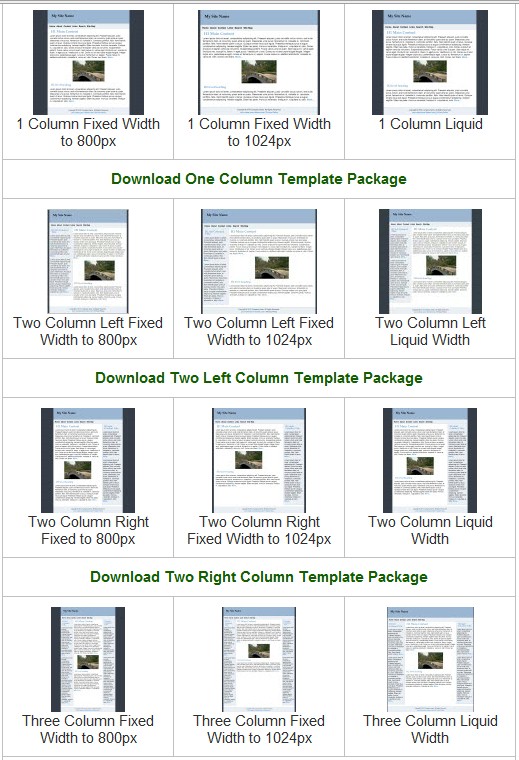
There are four sets of default site templates. Two sets are geared for newbies and two sets for the more advanced user.
 The
first series of seventeen templates are aimed at the less advanced user. The
DWT Site Templates are based on some of those available with the CSS Sculptor program
that WAS an add-in available for Expression Web versions 1 and 2. All of the templates
are heavily commented in both the CSS and HTML to help you in the learning process.
They also include a series of tutorials on how to use the templates.
The
first series of seventeen templates are aimed at the less advanced user. The
DWT Site Templates are based on some of those available with the CSS Sculptor program
that WAS an add-in available for Expression Web versions 1 and 2. All of the templates
are heavily commented in both the CSS and HTML to help you in the learning process.
They also include a series of tutorials on how to use the templates.
Also you will find five equal-height column site templates that can be installed to the generic templates already available.
Also included is a series of seven content first site templates. These are available for all but are aimed at the more advanced user. This site uses one of the content first templates which does just what it says - present your main content first in the html code. These are offered as both a personal web package as as zipped files AND as a set to add to your EW software.
The last series added are a set of seven Mobile Friendly Site Templates. Again the CSS and HTML has been heavily commented but working with them requires a knowledge of both skills.
There are detailed instructions on how to add ALL of the templates to your Expression Web software.
You can read more about this exciting new project, view the actual site templates included and download them from Expression Web Site Templates.
Expression Web 3.0, 2.0, and 1.0
If you are still using an earlier version of Expression Web, you should update to Microsoft Expression Web 4 (Free Version). The price is right as it is FREE! You really have nothing to loose as the new version will NOT overwrite your older version. NOTE: As of June 2020, Microsoft has deleted it from their servers. Download Expression Web FREE version from Internet Archive WayBack Machine.
Expression Web eBooks
An e-book (also: eBook, ebook) is an electronic (or digital) version of a book. Each of these Expression Web eBooks is written to help you get the most out of using Expression Web. Some of the eBooks are FREE for download and I have indicated which those are. Many of them were written by my good friend Tina Clarke.
BlueHost Tutorials
Since I have chosen to use BlueHost as my hosting company, I will be adding
tutorials for setting
up your server space and using Expression Web with BlueHost. All of the BlueHost
tutorials are also available as a FREE EBook in pdf format zipped for faster download.

Expression Web 4.0 Tutorials 2nd Edition from Install to Publish, a FREE EBook by Pat Geary.

Expression Web has a group on Facebook. If you are a FB user, come join us.

Disclosure: This is an affiliate link, which means that if you visit Bluehost.com through this link and purchase this product, I’ll get a commission.

April 2007 - April 2013