

Importing your folders/files into Expression Web
Before you can work with your graphic images as part of your website, they need to be included in your web folder. You can import them into the web before you start working with them by
File | Import
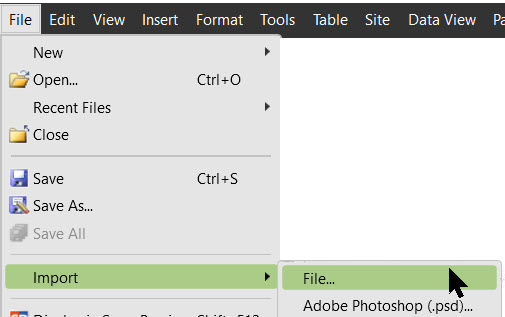
In the dialog box click Add File | In the Add files to import list that pops up
Browse to the folder where the files are located |
Hold down the ctrl key and click all files you want to import | Click OK
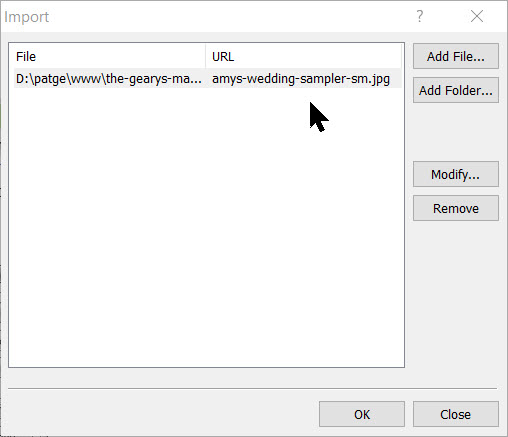
Once you click OK, you will see all of the files you selected for import now listed as part of your new web.
Return to Inserting Images in Expression Web

Expression Web 4.0 Tutorials 2nd Edition from Install to Publish, a FREE EBook by Pat Geary.

Expression Web has a group on Facebook. If you are a FB user, come join us.

Disclosure: This is an affiliate link, which means that if you visit Bluehost.com through this link and purchase this product, I’ll get a commission.

April 2007 - April 2013